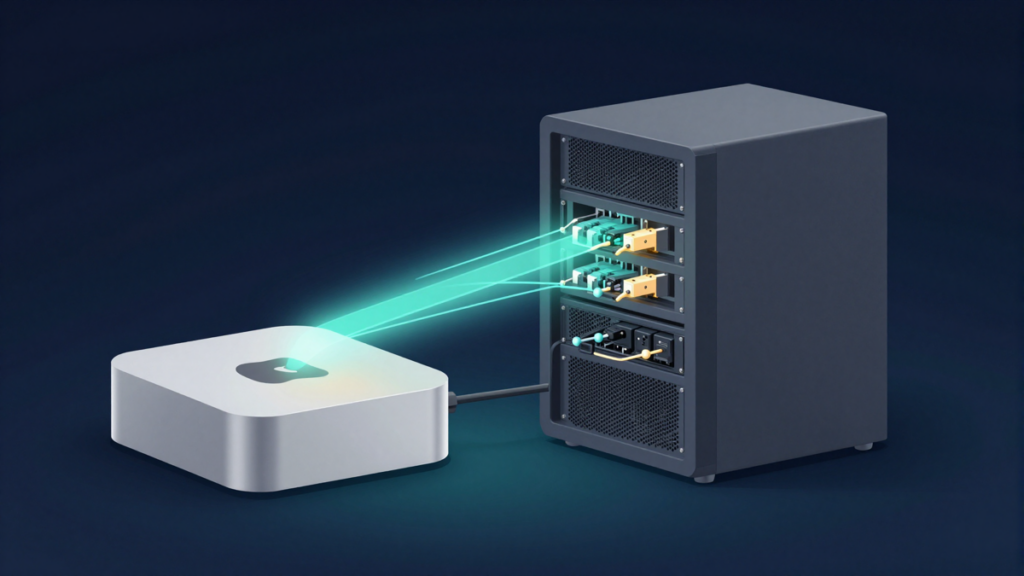
For most AI trading agents, the smart 2026 setup is simple: run execution on a reliable VPS, and only buy a Mac mini if local AI inference or physical key control matters to you.
A trading agent is not useful if it only runs when your laptop is open. It needs a stable machine, clean logs, restart rules, backups, and a plan for what happens when something breaks at 3 a.m.
The choice usually comes down to two paths: a Mac mini at home, or a Linux VPS from Vultr, DigitalOcean, Hetzner, Linode, OVHcloud, or a larger cloud provider. Both can work. The wrong choice is the one where your bot has exchange API keys, no backups, no alerts, and no clear way to recover.
Quick takeaway: Use a VPS for the order execution layer; use a Mac mini when you want cheap local LLM inference, tighter physical control, or a hybrid setup.
The basic trade-off
A Mac mini is a one-time purchase. A VPS is a monthly bill.
That sounds simple, but the real difference is control versus reliability.
- Mac mini: you own the hardware, keep it in your home, and can connect a Ledger, Trezor, or YubiKey directly.
- VPS: you rent a machine in a datacenter with stable power, stable networking, and a static IP address.
If your agent only calls APIs like GPT-4o, Claude, Hyperbolic, or an exchange API, it does not need a powerful local machine. A small VPS can run the bot loop, database, logging, and alerts just fine.
If your agent makes 1,000+ local inference calls per day, the math changes. Apple Silicon unified memory can make a Mac mini M4 Pro cheaper than paying for a GPU cloud instance or high-volume API calls.
Mac mini pricing in 2026
Per Apple’s Mac mini pricing, the 2026 decision starts with three useful configurations.
- Mac mini M4, 16GB RAM / 256GB SSD: $599. This is the cheapest entry point. It is fine for a Python trading bot, a Node.js strategy, or a lightweight agent that calls remote AI APIs. It is tight for local LLMs.
- Mac mini M4, 24GB RAM / 512GB SSD: $699. This is the sweet spot for API-driven agents. It can run the OS, bot stack, and a small local model like Qwen2.5-7B-Q4 via MLX. The research estimate is about 40-60 tokens per second on 7B models.
- Mac mini M4 Pro, 48GB RAM / 512GB SSD: $1,799. This is the better choice if you want local LLM inference. It can fit 13B Q4 models comfortably, 30B Q4 models with room for the bot, and 70B Q3 models in a tight setup at roughly 3-5 tokens per second.
Power cost is not the scary part. The $699 M4 Mac mini draws about 6W idle and around 35W under LLM load. At a US average electricity price of $0.14/kWh, the research estimate is about $43 per year. The M4 Pro 48GB under LLM load is closer to 60W, or about $74 per year.
The Mac mini M2 can still work if you find a refurbished or clearance unit around $400-500. It is slower than the M4, but an API-only bot does not need much CPU. I would only consider it if the deal is under $450.
Mac mini colocation sounds tempting, but it usually misses the point. MacStadium-style Mac mini hosting can start around $80-150/month before you count the hardware. For a trading agent, that is usually worse than a normal VPS.
VPS pricing in 2026
For a normal trading agent, a VPS gives you the boring things you want: static IP, SSH, snapshots, stable networking, and fast recovery if the hardware fails.
Here are the practical options from the research, with prices as listed in early 2026.
- Hetzner Cloud CX22: 2 vCPUs, 4GB RAM, 40GB SSD for 5.99 EUR/month, about $6.50.
- Hetzner Cloud CX32: 4 vCPUs, 8GB RAM, 80GB SSD for 12.99 EUR/month, about $14.
- Hetzner Cloud CX42: 8 vCPUs, 16GB RAM, 160GB SSD for 24.99 EUR/month, about $27.
- Vultr Regular Cloud Compute: 2 vCPUs, 4GB RAM for $24/month; 4 vCPUs, 8GB RAM for $48/month.
- Vultr High Frequency: 2 vCPUs, 4GB RAM for $30/month; 4 vCPUs, 8GB RAM for $60/month.
- DigitalOcean Premium Droplets: 2 vCPUs, 4GB RAM, 80GB SSD for $48/month; 4 vCPUs, 8GB RAM, 160GB SSD for $96/month.
- Linode / Akamai: 2 vCPUs, 4GB RAM for $48/month; 4 vCPUs, 8GB RAM for $72/month.
- OVHcloud Value VPS: 2 vCPUs, 4GB RAM around $12-15/month; 4 vCPUs, 8GB RAM around $22-28/month.
Vultr is the clean middle option for many crypto bots. The research notes broad Reddit consensus from r/algotrading and r/cryptocurrency that Vultr is commonly recommended because it has many US datacenters, a good API, and no crypto-specific ToS restriction called out in the material.
DigitalOcean is simpler and well documented, but it costs more. Its Premium 2 vCPU / 4GB Droplet is $48/month, and snapshots are $0.05/GB/month, per DigitalOcean pricing in the research. Managed Postgres starts at $15/month for 1GB / 1 vCPU if your bot needs a database you do not want to run yourself.
Hetzner is cheap, but there is a real caveat. Per Hetzner’s Terms of Service section 4.2.4, “cryptocurrency applications” are prohibited. The research notes mixed community reports: some people run trading bots for years, while others report account termination. If a sudden shutdown would hurt you, do not build the critical path on Hetzner.
When a Mac mini makes sense
A Mac mini makes the most sense when you care about local control or local AI compute.
- You want local LLM inference. A $1,799 Mac mini M4 Pro with 48GB unified memory can replace some workloads that would otherwise need expensive GPU cloud time.
- You want physical possession of the machine. Your bot, encrypted database, and hardware security devices are in your home instead of on a cloud provider’s host.
- You use hardware signing. A Ledger, Trezor, or YubiKey can be plugged into the machine for workflows where the private key should never touch the bot’s disk.
- You already have good home infrastructure. Stable internet, Ethernet, a UPS battery backup, and a place where the machine will not be unplugged by accident.
The downside is that your home is not a datacenter. Your ISP can go down. Your power can fail. Your home IP may change. If an exchange requires IP whitelisting, a dynamic home IP can become annoying unless you use DDNS through DuckDNS or Cloudflare DDNS and an update script.
Also think about physical risk. A Mac mini can be stolen, damaged, or lost in a fire or flood. FileVault should be enabled. Time Machine should back up to an encrypted external SSD. Important bot data should also be copied offsite with tools like rclone to S3, Backblaze B2, or Cloudflare R2.
When a VPS makes sense
A VPS makes the most sense when the agent’s main job is order execution.
That means exchange connections, order placement, cancel logic, monitoring, and alerts. These parts benefit from a static IP and boring uptime more than local AI horsepower.
- Static IP: easier API whitelisting on Binance, Bybit, OKX, Kraken, Coinbase, or any exchange that supports it.
- Remote access: SSH from anywhere, without depending on your home network.
- Snapshots: clone or restore before and after updates.
- Datacenter reliability: redundant power and networking are the whole point.
- Location choice: Vultr has US locations including New York/New Jersey, Chicago, Dallas, Seattle, Silicon Valley, Los Angeles, Atlanta, and Miami.
The drawback is trust. Your cloud provider can access the host. Disk encryption helps at rest, but the hypervisor can still see RAM. If your bot decrypts exchange API secrets into memory, assume the VPS is a higher-trust environment than your own locked room.
That does not mean “never use a VPS.” It means scope the keys correctly.
The hybrid setup is often the best answer
The cleanest architecture is often split in two.
- Mac mini at home: runs local models, signal generation, research summarization, and heavier agent reasoning.
- Small VPS: runs the execution layer, exchange connection, order management, health checks, and alerts.
- WireGuard tunnel: connects the two machines privately.
In this setup, the Mac mini can think, but the VPS executes. The VPS can be small because it is not doing inference. A $6-24/month box can be enough if it only receives signals, checks risk rules, and sends orders.
The downside is complexity. You now have two machines, a tunnel, and two failure points. Do this if local inference actually saves money or improves your workflow. Do not do it just because it feels sophisticated.
Keep the agent alive
A trading agent should not be started by hand in a terminal window. It needs a process manager that restarts it after a crash and starts it after reboot.
- Mac mini: use launchd. Key settings include KeepAlive=true, RunAtLoad, WatchPaths, ThrottleInterval, StandardOutPath, and StandardErrorPath. A typical file lives at
~/Library/LaunchAgents/com.user.trading-bot.plist. - Linux VPS: use systemd. Set Restart=always or Restart=on-failure, RestartSec=5s, User=, WorkingDirectory=, and EnvironmentFile=. Use
journalctl -u bot.service --followfor logs. - Node.js bot: PM2 is practical.
pm2 start bot.js --name trading-bot --max-memory-restart 500M, thenpm2 saveandpm2 startup. - Python multi-bot setup: supervisord works well, especially with separate logs and restart rules per bot.
- Portable stack: Docker Compose is often the easiest long-term choice. Use
restart: unless-stoppedand a healthcheck that hits your bot’s/healthendpoint.
Add a heartbeat. healthchecks.io has a free tier with 20 checks and a 5-minute interval, per the research. Uptime Kuma is a good self-hosted option. Alerts should go somewhere you will actually see, like Telegram, Discord, email, or Slack.
Your bot should expose a simple health endpoint that checks three things:
- the process is alive;
- the database is reachable;
- the last successful exchange check or trade loop happened recently.
Backups matter more than the machine
The machine is replaceable. The critical state is not.
For most bots, the only things you cannot recreate from git are the database and secrets. Everything else should be documented well enough that you can rebuild it.
- DigitalOcean: snapshots cost $0.05/GB/month; weekly automated backups are 20% of Droplet cost.
- Vultr: auto-backups are 20% of instance cost; snapshots may be free under the snapshot storage limit.
- Hetzner: snapshots cost 0.01 EUR/GB/month; the backup feature is 20% of server price.
- Mac mini: use encrypted Time Machine backups plus offsite copies of bot config and database.
If you use SQLite, do not copy the live .db file while the bot is writing to it. Use the SQLite backup command instead: sqlite3 bot.db ".backup /backups/bot_$(date +%F).db". WAL mode also helps with safer concurrent access.
If you use Postgres, use pg_dump for daily portable backups. For a single-bot setup, keeping 30 days of daily dumps is a sane starting point.
Test recovery quarterly. The target is not “we have backups.” The target is “we can rebuild from scratch in under 1 hour.”
Security checklist before you run real money
The most important security rule is simple: disable withdrawals on every exchange API key used by a bot. Always.
A compromised trade-only key can still hurt you. It can place bad trades or churn fees. But a key with withdrawals enabled can empty the account.
- API permissions: enable Read and Trade only if the bot executes orders. Use Read only for signal generation.
- Withdrawals: disabled on every bot key.
- IP whitelisting: whitelist the VPS IP or VPN exit IP where supported.
- Secrets: store API secrets encrypted with GPG, macOS Keychain, Docker secrets, HashiCorp Vault, Infisical, or Doppler.
- Seed phrases: never store them on the agent machine. Paper or steel only.
- Disk encryption: enable FileVault on Mac mini; use LUKS or at least encrypted sensitive directories on Linux.
- SSH: key-only login, no password login, and ideally a YubiKey-backed SSH key.
- Firewall: use UFW on Linux and allow only what the bot needs.
- Patching: enable unattended-upgrades on Ubuntu or Debian.
- Runtime user: run the bot as an unprivileged user, never root.
A VPN can also help, but be clear about why you are using it. WireGuard can route bot traffic through a second exit IP, which decouples the VPS IP from the exchange whitelist. The research estimate is roughly 1-3ms for WireGuard itself, plus 5-15ms depending on the VPN provider and location. If your strategy is latency-sensitive arbitrage, that extra hop may not be worth it.
My practical recommendation
If you are running your first serious AI trading agent, start boring.
- API-only agent: use Vultr 2 vCPU / 4GB at $24/month, or DigitalOcean if you prefer simpler docs and do not mind $48/month.
- Budget-sensitive but risk-tolerant: Hetzner CX22 at 5.99 EUR/month is cheap, but the crypto ToS risk is real.
- Local AI inference: buy the $699 Mac mini M4 24GB for small models, or the $1,799 M4 Pro 48GB if local LLM work is central to the system.
- Best long-term setup: Mac mini for local inference, small VPS for execution, WireGuard between them, and strict API key permissions.
Do not overspend before the strategy works. A $1,799 Mac mini will not fix a bad risk model. A $96/month VPS will not fix missing alerts. Start with the smallest setup that can run safely, then upgrade when the bottleneck is obvious.
Disclosure: Easy as Pie DeFi may earn a commission if you buy through these links. That does not change the price you pay, and it does not change the recommendations above.
Bottom line
Use a VPS when uptime, static IPs, and simple recovery matter most. Use a Mac mini when local inference or physical key control is worth the extra home-server work. If your agent will touch real funds, spend as much time on permissions, backups, and alerts as you spend on the trading logic.