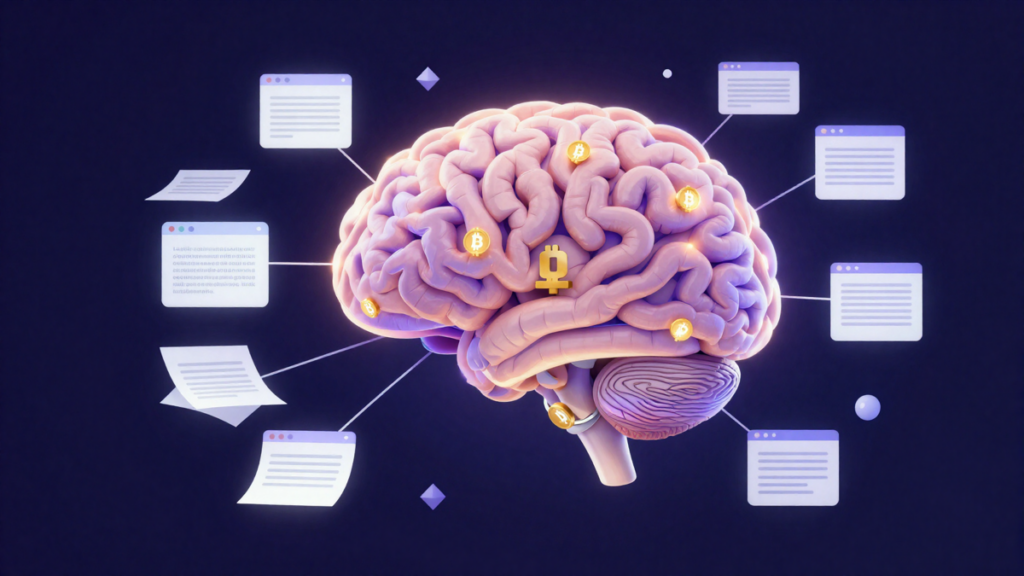
An Obsidian vault is one of the simplest ways to give your AI agent a memory you can actually read, edit, back up, and audit.
Most AI agent setups have the same weak spot: memory. The agent can help you research a token, summarize a Hyperliquid perp setup, or write a trading checklist. Then the session ends, and the useful context disappears unless you saved it somewhere clean.
Obsidian fixes that in a boring, powerful way. It stores notes as plain markdown files inside folders. Your agent can read those files. You can read those files. Git can track every change. And if you structure the vault well, the folder tree becomes the agent’s memory schema.
Quick takeaway: Use Obsidian as your AI agent’s local brain: markdown for memory, folders for structure, MCP for access, and clear rules so the agent does not guess.
Why Obsidian works better than a mystery memory database
Crypto investors already deal with enough black boxes. You do not need another one holding your trade history, research notes, and strategy rules.
Obsidian stores your vault as normal files on disk. A note is just a .md file. A folder is just a folder. That sounds basic, but it matters when you start giving AI agents access to your work.
Plain markdown gives you four useful properties:
- You can open it without Obsidian. VS Code, Cursor, Claude Desktop, Hermes Agent, Windsurf, and a terminal can all read markdown.
- You can version it with Git. A weekly
git diffcan show what changed in your thesis, trade log, or risk rules. - You can search it with simple tools. File search still works even if a plugin breaks.
- You avoid vendor lock-in. Your agent memory is not trapped in one app’s database format.
This is the same reason builders keep coming back to the “markdown as memory” pattern. The research notes for this piece point to people like @mckaywrigley, @brianpetro_, @logancyang, @nickbaumann98, @transitive_bs, @mattprd, @thesephist, @yoheinakajima, and @chrishayuk discussing Obsidian-style vaults as agent memory. The wording varies, but the idea is consistent: markdown files are easy for humans and machines to share.
For a crypto investor, that means your agent can remember more than chat history. It can remember:
- Why you entered a BTC trade.
- Which strategy the trade belonged to.
- Which Hyperliquid setup you were watching.
- What went wrong in last month’s post-mortem.
- Which token thesis you already rejected.
That last one matters. A lot of people waste time re-researching the same coin every few weeks. A vault gives your agent a place to say, “You already looked at this, and here is what you wrote.”
The basic stack: Obsidian, MCP, and semantic search
The useful version of this setup has three layers.
- Obsidian is the local vault.
- An MCP server lets agents read and write notes.
- A semantic plugin helps search by meaning, not just exact keywords.
The official obsidianmd/obsidian-mcp server is maintained by the Obsidian team. Per the repo, it exposes tools such as read_note, write_note, search_vault, and list_notes to MCP-compatible agents. That means tools like Claude Desktop, Cursor, Windsurf, and Hermes Agent can point at a vault path and work with your notes.
There is also a community server, nickbaumann98/obsidian-mcp-server, which adds batch operations and more granular file control. That may matter if you want an agent to update many notes at once, but beginners should start simple. Give the agent a narrow set of permissions before you let it touch a trading journal.
MCP itself comes from the Model Context Protocol. Anthropic’s MCP docs also recommend patterns that fit Obsidian well: consistent YAML frontmatter, date-stamped filenames, heading hierarchy, and internal links. In Obsidian, those internal links are [[wikilinks]].
For semantic search, two Obsidian plugins are worth knowing by name:
- Smart Connections by @brianpetro_ creates embeddings for notes and lets you search by meaning. The research file lists 250k+ downloads. It also supports local LLMs through Ollama and LM Studio.
- Obsidian Copilot by @logancyang adds a chat interface and custom personas. A trader could define a “Trading Analyst” persona that reads only
Strategies/,Trades/, andResearch/.
There is also the official obsidianmd/obsidian-clipper browser extension. That is useful for saving CoinDesk articles, governance proposals, Dune dashboards, protocol docs, or X threads into the vault with a template.
Folders are the agent’s map
A folder name gives your agent context before it even reads the note. A file in 03-Trades/live/ is different from a file in 04-Strategies/backtesting/. You should make that obvious.
A clean crypto vault could look like this:
vault/
  00-META/
    manifest.md
    schemas.md
  01-Research/
    tokens/
    protocols/
    narratives/
  02-Notes/
    daily/
    ideas/
  03-Trades/
    live/
    closed/
  04-Strategies/
    active/
    backtesting/
  05-Market-Data/
    macro/
    onchain/
  06-Portfolio/
  07-References/
  08-Agents/
    personas/
    workflows/
The numbered prefixes are not decoration. They force a stable sort order in Obsidian’s file explorer. Your human brain sees the same structure every day. Your agent sees the same structure every session.
If you want a smaller version, start with this:
Research/for token notes, protocol docs, and narrative tracking.Trades/for open and closed trade logs.Strategies/for your actual rules.Portfolio/for allocations and position summaries.Agents/for personas, prompts, and workflow instructions.
Do not overbuild it on day one. A folder structure you actually use beats a perfect one you abandon.
The manifest file stops the agent from guessing
The most important note in the vault is not a trade. It is the manifest.
A good 00-META/manifest.md tells the agent what the vault is, what folders mean, and what it is allowed to do. Without this, the agent has to infer too much.
---
agent_role: "Trading Journal Keeper"
capabilities:
  - read_trades
  - create_trade
  - update_trade_status
  - analyze_performance
  - suggest_improvements
vault_structure:
  positions: "Individual trade records, one file per trade"
  strategies: "Strategy definitions and rules"
  watchlists: "Assets under observation"
  research: "Fundamental and thesis research"
  post-mortems: "Periodic performance reviews"
frontmatter_schema: "00-META/schemas.md"
---
This is simple, but it changes the behavior. The agent now knows where to look first. It knows that strategies live in one place and trade records live somewhere else. It knows that a post-mortem is different from a token thesis.
You can also add plain-English rules below the YAML:
- Never create a trade without a stop loss field.
- Never overwrite a closed trade without asking first.
- Use percentages instead of raw dollar PnL when privacy matters.
- Do not store seed phrases, private keys, or exchange API keys in this vault.
That last rule should be permanent.
Use YAML so trades are machine-readable
Markdown is for humans. YAML frontmatter is for agents.
A trade note should have fields the agent can filter, compare, and update. Here is a shortened example from the research file:
---
type: trade
id: btc-long-2025-05-21-001
asset: BTC/USDT
asset_type: spot
side: long
status: closed
exchange: Binance
date_entered: 2025-05-21T09:30:00Z
date_exited: 2025-05-21T14:15:00Z
timeframe: 1h
strategy: momentum-breakout
entry_price: 67450
exit_price: 68900
stop_loss: 66800
take_profit: 69200
position_size: 0.5
position_unit: btc
risk_pct: 1.2
risk_reward_ratio: 2.1
pnl_usd: 725.00
pnl_pct: 2.15
fees: 3.50
tags: [breakout, momentum, btc, scalping]
rating: 7
---
There are a few quiet rules here:
typetells the agent this is a trade, not a strategy or research note.idhelps prevent duplicates.statuslets the agent separate open, closed, draft, and cancelled trades.strategypoints back to a strategy file such asstrategies/momentum-breakout.md.- Numbers stay as raw numbers. Use
725.00, not$725.00. Use2.15, not2.15%.
That last point is boring but useful. If the agent needs to sum PnL, compare risk, or find the average rating for a strategy, raw numeric fields are easier to work with.
Strategies should be written like rules, not vibes
A strategy note should tell the agent how the trade is supposed to work. If the note only says “momentum breakout,” the agent cannot audit much.
A better strategy card looks like this:
---
type: strategy
id: momentum-breakout
status: active
asset_class: crypto
timeframes: [15m, 1h, 4h]
indicators: [EMA20, EMA50, RSI, Volume]
entry_conditions:
  - "Price closes above 20EMA on 1h"
  - "RSI > 55 and < 75"
  - "Volume > 1.5x 24h average"
exit_conditions:
  - "Price closes below 20EMA"
  - "Trailing stop at 2x ATR"
risk_per_trade_pct: 1.0
max_drawdown_pct: 15
win_rate_target: 55
tags: [momentum, trend-following]
---
Now the agent has something to check. If you logged ten “momentum-breakout” trades, it can compare the actual entries against the stated rules. It can also notice if your notes say one thing and your behavior says another.
That is where this setup becomes useful for crypto. The agent is not predicting the future. It is helping you remember your own process.
How this looks in a real agent session
Say you run Hermes Agent on a Mac Mini or VPS and use it to help with crypto research. The May 2026 research notes mention persistent setups from @Mars_DeFi, @mronge, and @AlexFinn, with local Mac or server-based agents running around the clock. The same pattern works with an Obsidian vault.
A normal read flow might be:
- The agent opens
00-META/manifest.md. - It searches the vault for
type: tradeandstatus: open. - It reads each open trade note.
- It follows the
strategyfield to the matching strategy file. - It answers your question using the trade note and the strategy rules.
A normal write flow might be:
- You say, “Log my BTC long at 67450, stop 66800, target 69200.”
- The agent uses
_templates/trade-log.md. - It creates
positions/btc-long-2025-05-21.md. - Later, you say, “BTC hit target, close it.”
- The agent updates
status: closed, adds exit price, adds PnL, and appends a short lesson.
This also pairs well with Hyperliquid research. The research file lists recent May 2026 examples around Hyperliquid agents, including @heynavtoor describing a CrewAI-style setup with analyst, strategy generator, execution via MCP, and risk agent; @prompt48 mentioning a whale order tracking repo for $100k+ trades; and @0xTobiasDev pointing to a Hyperliquid Telegram bot under 300 lines. Those tools may change, but the memory problem stays the same. If an agent trades, monitors, or researches, it needs a durable place to write down what happened.
Git turns memory into an audit trail
Git is not just for developers. In this setup, Git is version control for your investing brain.
If your agent changes a strategy file, Git can show the exact diff. If you rewrite your ETH thesis after a bad trade, Git keeps the old version. If a plugin or agent makes a messy edit, you can roll back.
The research file recommends ignoring Obsidian workspace noise:
.obsidian/workspace
.obsidian/cache
.obsidian/plugins/obsidian-git/data.json
*.excalidraw
.trash/
And this simple .gitattributes line:
*.md diff=markdownA clean commit convention helps too:
[trade] BTC long closed +725[strategy] updated momentum entry conditions[research] added pectra upgrade notes[review] May 2026 post-mortem
The obsidian-git plugin can auto-commit on a timer. Monthly tags such as v2026-05 and v2026-06 create clean snapshots your agent can reference later.
Privacy matters more than convenience
A trading vault can reveal a lot. Open positions. PnL. Wallet behavior. Research targets. Strategy rules. That is sensitive information even if it does not include keys.
Use a stricter setup than you would for normal notes:
- Keep the vault local unless you have a reason to sync it.
- Use a private Git repo with 2FA if you back it up remotely.
- Consider self-hosted Gitea if you want more control.
- Never store seed phrases, private keys, or exchange API keys in the vault.
- Consider two vaults: one private trading journal that never syncs, and one research vault that can sync.
- Use Ollama or LM Studio with Smart Connections if you do not want vault contents sent to OpenAI, Anthropic, Azure, or another hosted model provider.
- Use percentages or sats instead of raw USD PnL if dollar amounts are too revealing.
This is not paranoia. It is basic hygiene. A vault that helps an agent understand your portfolio would also help an attacker understand your portfolio.
A simple starter setup
If you are new, do not start with ten agents and a complex workflow. Start with one vault and one job.
- Create an Obsidian vault called
Trading Brain. - Add folders for
00-META,Research,Trades,Strategies, andPortfolio. - Create
00-META/manifest.mdwith the agent rules. - Create one trade template with YAML frontmatter.
- Create one strategy note for a setup you actually use.
- Install Smart Connections if you want semantic search.
- Add an Obsidian MCP server only after the folder structure makes sense to you.
Then use the agent for a narrow task: “Find my open trades and summarize the risk.” Or: “Compare my last five BTC trades against the momentum-breakout strategy.” If it cannot do that cleanly, do not give it more responsibility yet.
Agents are useful when the surrounding system is boring and explicit. Obsidian gives you that boring system.
Disclosure: Easy as Pie DeFi may earn a commission if you buy through these links. That does not change the price you pay, and it does not affect which tools we name in this article.
Bottom line
Obsidian works as an AI agent brain because it is plain, local, and inspectable. Use markdown for memory, folders for context, YAML for structure, MCP for controlled access, and privacy rules that assume your trading notes are worth protecting.